
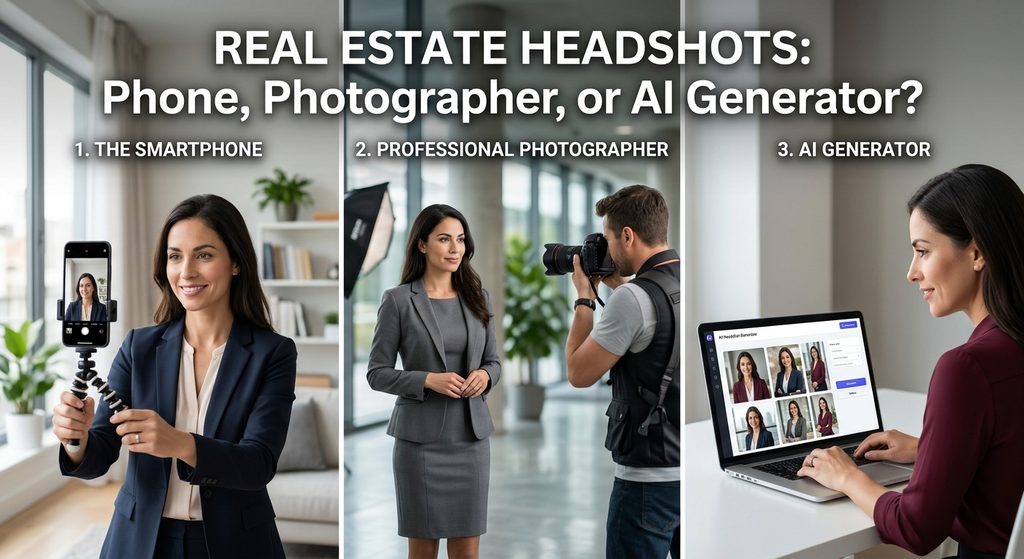
Your headshot shows up more places than almost any other piece of your marketing: your MLS profile, your business card, your yard signs, your brokerage website, every social post. A client usually sees it before they ever meet you. You have three real ways to get one done, your own phone, a professional photographer, or an AI headshot generator, and each one trades off cost, time, and risk differently. Here’s how to pick.
Why Your Headshot Carries More Weight for Agents Than Most Professions
Most professionals update a headshot once and forget about it for years. Agents can’t really do that. Your face is attached to your listings, your signage, and your brand in a way that puts it in front of the same local audience over and over, which means an outdated or mismatched photo creates a small but real trust gap the moment a client meets you in person and you look noticeably different than your marketing. The general guidance from the National Association of Realtors is to refresh your headshot every one to two years, or sooner if your appearance changes significantly.
Option 1: Shooting It Yourself With Your Phone
This is the free option, and it can work if you do a few things right. Use a smartphone with a high-resolution camera and shoot in manual mode if your phone supports it, so you control exposure yourself. Natural light is your best friend, near a window or outdoors in shade works better than harsh direct sunlight or indoor overhead lighting. A cheap tripod keeps the shot sharp instead of slightly blurred from handheld shake. Pick a clean, uncluttered background, a plain wall or a simple outdoor setting, and skip the busy bookshelf or company logo behind you. A free editing app like Snapseed can clean up brightness and contrast without needing anything paid. If you want a middle ground between free and professional, hiring a photography student is a real, inexpensive option worth considering. What kills a DIY headshot almost every time is a selfie, an unedited phone shot taken at arm’s length almost never looks professional, even with good lighting.
Option 2: Hiring a Professional Photographer
A professional photographer is the option most likely to produce a headshot that still looks good in five years of marketing. Look specifically for someone who shoots business or portrait photography rather than weddings or families, and review their actual portfolio before booking. Bring three or four outfit options in solid colors, skip busy patterns and heavy jewelry, and wear what you’d actually wear meeting a client rather than your most formal outfit. For posing, a slight forward lean and a straight back read as confident and approachable, and a genuine smile matters more than a stiff, overly staged pose. Expect to pay roughly $75 to $350 for a semi-experienced photographer and $250 to $750 for an established expert, depending on location, session length, and how many final retouched images are included.
Option 3: Using an AI Headshot Generator
AI headshot tools have become a popular option specifically because they cut both the cost and the wait compared to booking a photographer, you upload a handful of existing photos and get a full set of styled headshots back, often within an hour. The catch is authenticity. A generated headshot that smooths your features into someone who looks noticeably different from how you actually look in person creates a real problem for an agent, since clients meet you face to face at showings and open houses. Upload clear, well-lit, recent photos with your actual current hairstyle and expression for better results, and have someone who knows you well look at the output before you publish it anywhere. If you’re considering this route, our companion article walks through how to actually choose between the available AI headshot generators, with real pricing, features, and reviews.
How to Decide Between the Three
If you’re brand new and need something usable today with zero budget, start with the phone, you can always upgrade later. If you’re investing in your brand for the next several years, want a consistent look across all your marketing, or want a lifestyle setting like a model home or office backdrop, a professional photographer is worth the cost. If you want several styled, polished options fast and cheap, particularly before you can afford a photographer, or you want variety across different outfits and backgrounds without booking multiple sessions, an AI generator fills that gap, as long as you check the result against a mirror before you use it anywhere public.
Frequently Asked Questions
How often should I update my real estate headshot? Roughly every one to two years, or sooner if your appearance changes in a way clients would notice.
Can I just use a selfie as my professional headshot? It’s one of the most common mistakes agents make. An unedited, arm’s-length selfie almost never reads as professional, even with decent lighting.
Is it a problem to use an AI headshot generator for real estate marketing? Not inherently, but the result needs to still look like you, since your clients will meet you in person. Get a second opinion from someone who knows you before you publish it.
What should I actually wear for a real estate headshot? Solid colors, minimal jewelry, and clothing that matches what you’d actually wear meeting a client, not your most formal outfit. Bring a few options and pick on the day.
How much does a professional real estate headshot cost? Roughly $75 to $350 for a semi-experienced photographer and $250 to $750 for an established expert, depending on location and session details.
Bottom Line
There’s no single right answer here, the right option depends on your budget, your timeline, and how long you expect to use the result. Whichever path you choose, update the photo everywhere clients actually see you, your Rise Realty profile and marketing included. If you’re leaning toward the AI route, see our companion guide on choosing the right AI headshot generator next. Questions about updating your profile or marketing materials? Call (866) 344-7473 ext. 4 or visit rise100percent.com.
Sources
- nar.realtor, “10 Steps to Capture the Perfect Professional Headshot,” on posing, lighting, and refresh timing
- inboundrem.com, “45 Tips for the Perfect Realtor Headshots,” on DIY phone technique, photographer selection, common mistakes, and professional headshot cost ranges
- Express Employment Professionals’ job-seeker blog, on the AI headshot trend and the authenticity caution, covering the same general story flagged from AP News, whose own article page could not be fetched directly